
Appearance
Protocol SoA Milestones
This guide explains how to mark visit types as SoA milestones and display them in the Protocol Schedule of Activities (SoA). You can mark a visit type as an SoA milestone in Studies > Define study > Study Structure > Study visits. You can do this when adding or editing a visit, or directly in the table by selecting Edit in table. To display milestones in the Protocol Schedule of Activities (SoA), go to Studies > Study Activities > Schedule of Activities > Protocol tab, and make sure that the Show milestones slider is switched on.
Introduction
Protocol Milestones are key study events, defined at the visit type level, that represent clinically or operationally significant points in a study's timeline. They are controlled by the sponsor codelist and provide a high-level summary row in the Protocol Schedule of Activities (SoA), making it easier for sites and stakeholders to understand the overall flow of the study at a glance.
Protocol Milestones are key study events, defined at the visit type level, that represent clinically or operationally significant points in a study's timeline. They are controlled by sponsor codelist and provide a high-level summary row in the Protocol Schedule of Activities (SoA), making it easier for sites and stakeholders to understand the overall flow of the study at a glance.
Unlike study epochs — which describe continuous periods of a study (e.g., Screening, Treatment, Follow-up) — Protocol Milestones label the most important individual visit types (e.g., Randomization, End of Treatment, Last Patient Visit) and display them as a distinct row across the top of the SoA table. Visits that share the same visit type and are explicitly marked as a milestone are grouped together under that milestone. Milestones are optional and can be shown alongside epochs, or used as a replacement for the epoch row when the study design is straightforward enough.
Prerequisites
To create the protocol milestone row, you need to have the following in OpenStudyBuilder:
- A study with at least one visit type defined in the study structure
- your OpenStudyBuilder account is assigned to the Study.Write access group
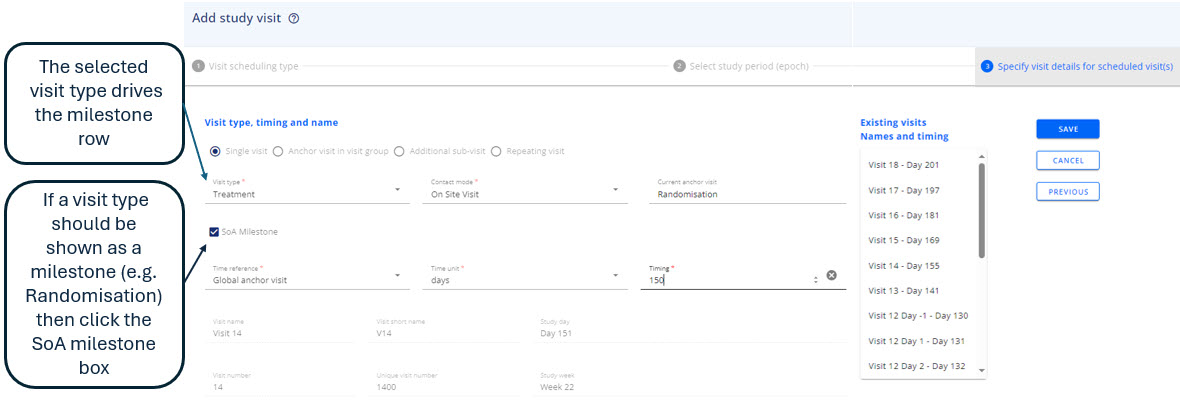
| Goal | How |
|---|---|
To mark a visit as a milestone while creating the visit 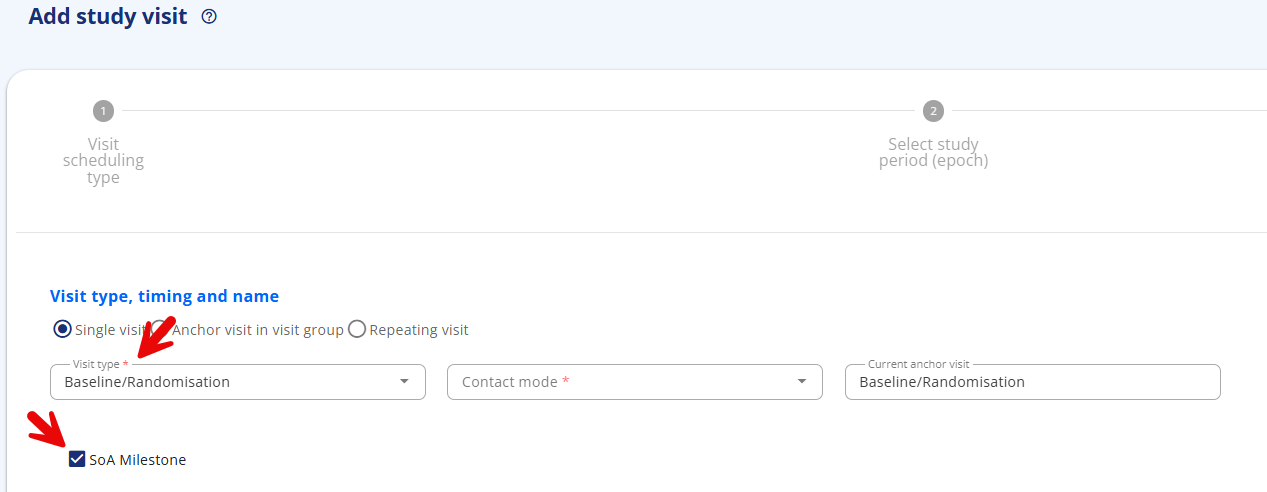 | 1. Click Add visit to start creating the visit. 2. Select the visit scheduling type and epoch. 3. Define the visit type for the newly created visit. 4. Check the SoA Milestone checkbox located below the Visit type item. |
To mark a visit as a milestone while editing the visit 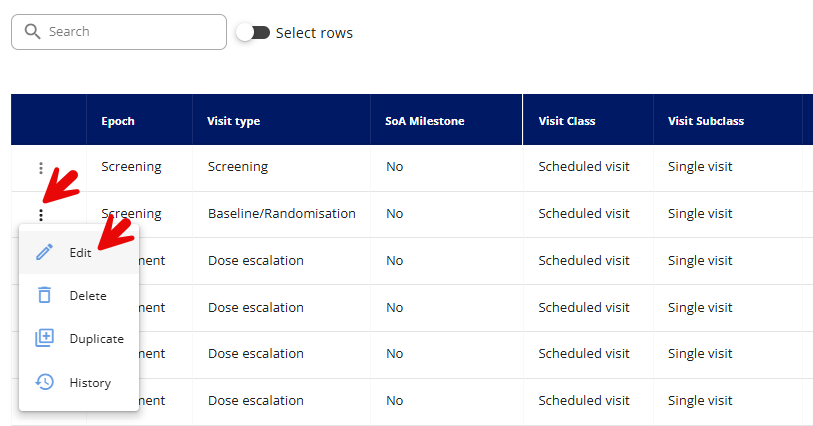 | 1. To change a specific visit, locate it in the table and click the three dots (⋯) in the same row as that visit. Then select Edit. 2. Change or keep the same visit scheduling type and epoch. 3. Change or keep the visit type of edited visit. 4. Check the SoA Milestone checkbox located below the Visit type item. |
To mark visits as a milestones via Edit in table mode 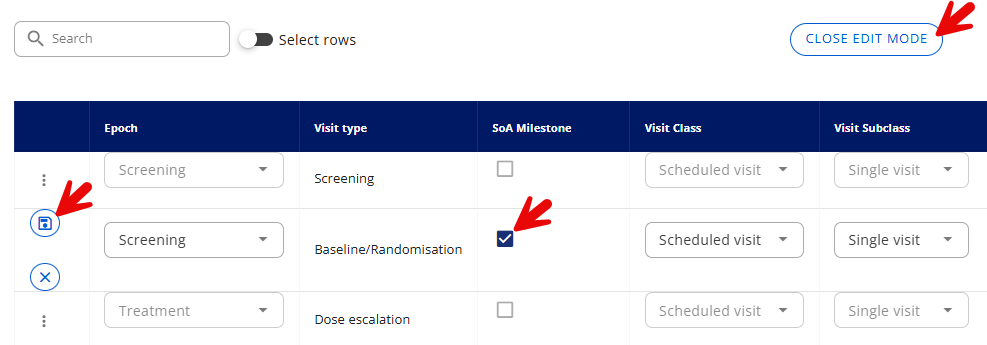 | 1. Click on Edit in table. 2. Mark relevant visits as SoA Milestones by clicking proper checkboxes in the table. Remember to save change for each visit/row. 3. Click on Close edit mode once all changes are done. |
To use the Milestones in the protocol SoA 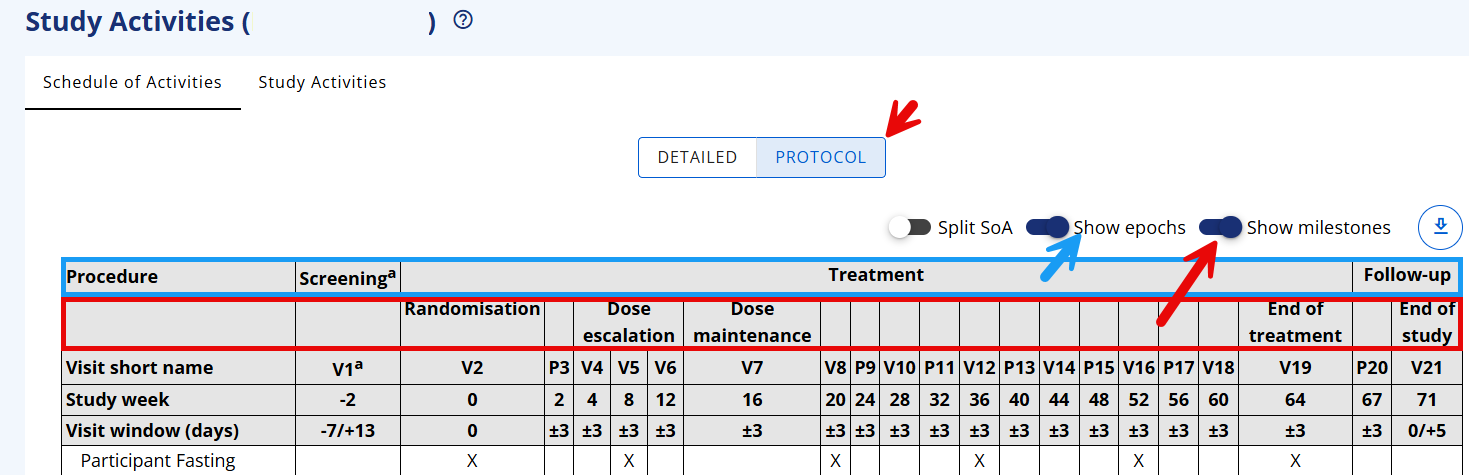 | 1. In the Protocol SoA, turn on the Show milestones slider. 2. Turn off Show epochs, if the SoA Milestones are sufficient (Note, that the epochs still exist behind the scenes as they are needed for all data processes in conduct). 3. Turn on both epochs and milestone if only few visit types have been set as milestones. |
NOTE
Visits with a visit type of Unscheduled or Non-visit are not displayed in the Protocol Schedule of Activities (SoA) and therefore cannot be considered SoA Milestones.
The different protocol SoA views
Figure 1 Protocol SoA with epochs/without milestones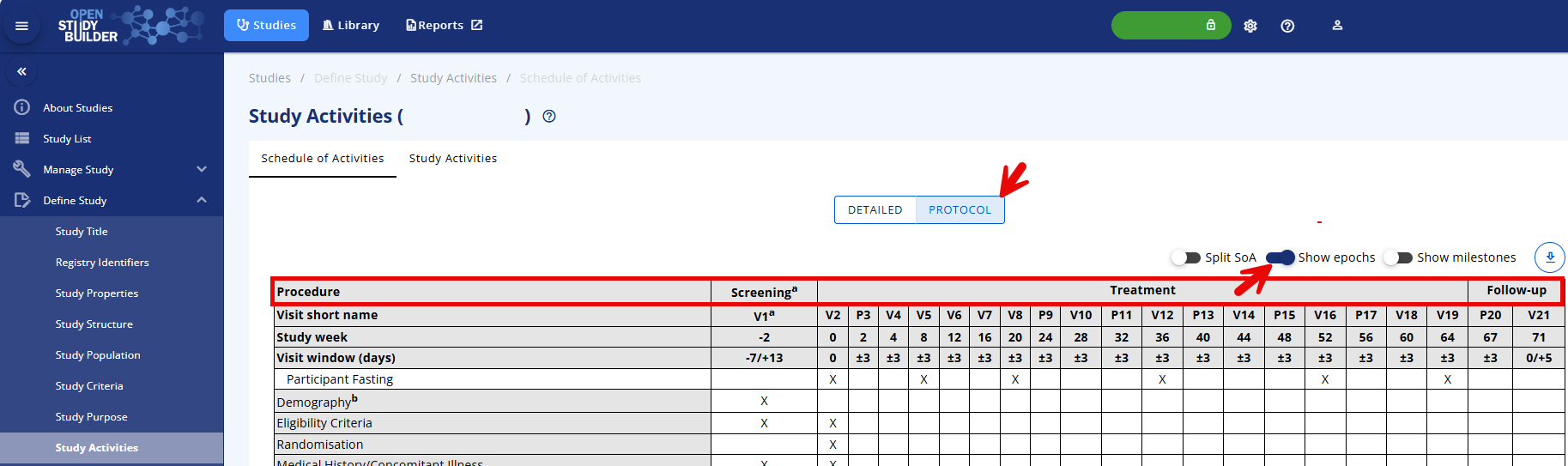
Figure 2 Protocol SoA without epochs/with milestones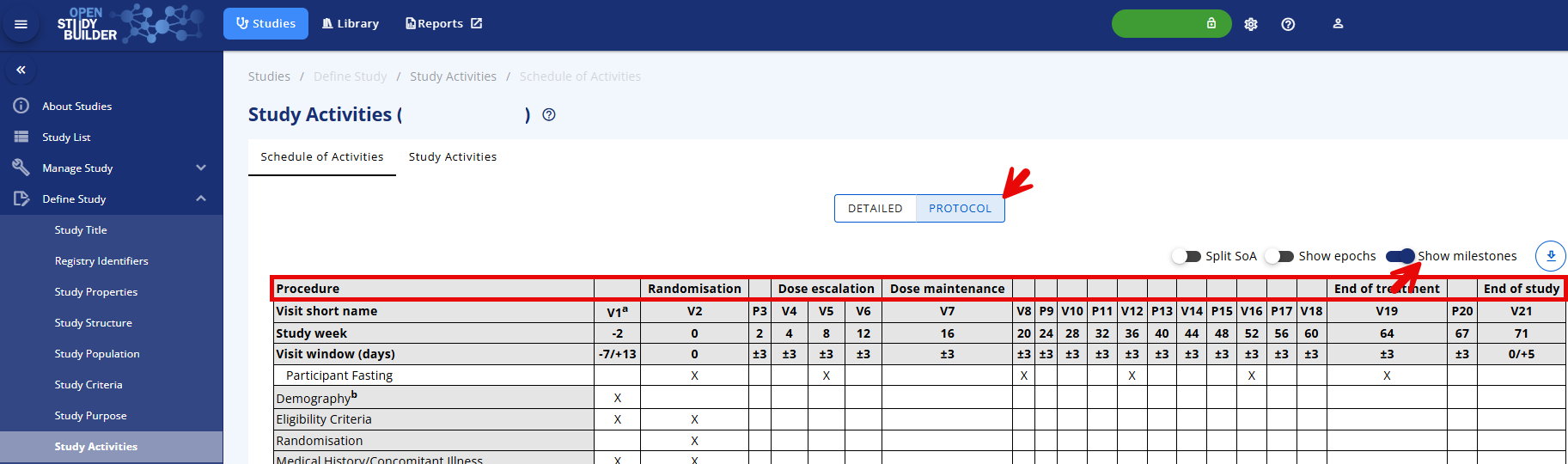
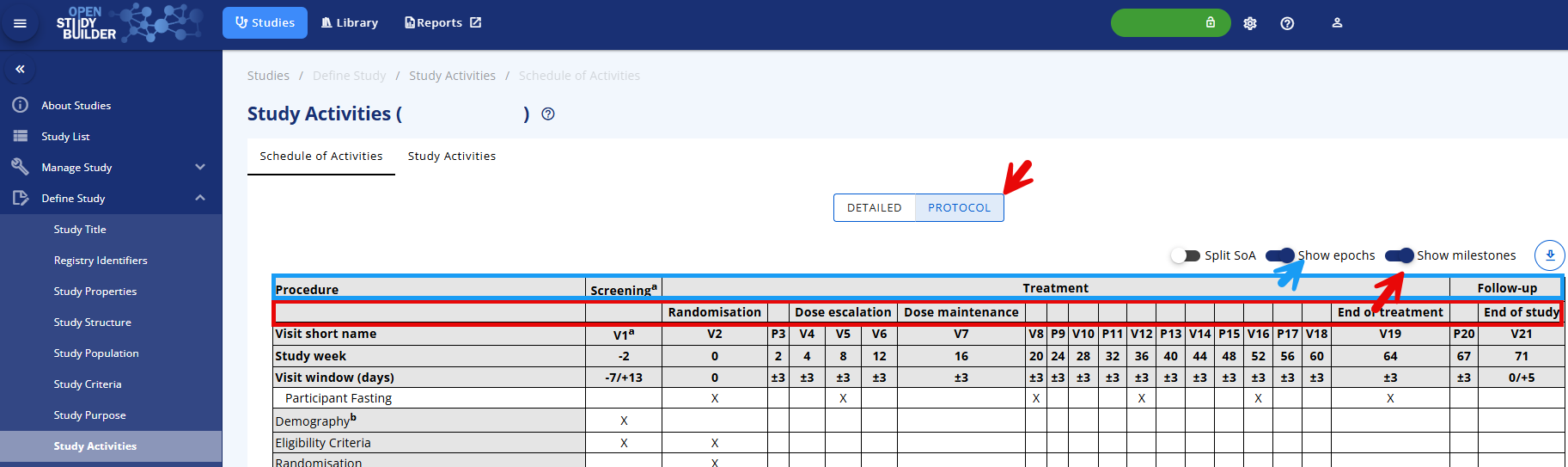
Figure 3 Protocol SoA with epochs/with milestones